
In the vibrant, fast-paced world of Discord, communication is king. But beyond just text and voice, the platform has evolved into a cultural hub for sharing memes, hilarious photos, and reaction GIFs. What if you could take that content to the next level, adding your own custom, witty, or absurd captions with just a few simple commands? This is where the magic of a Caption Bot Discord comes in. These clever bots are the secret weapon for community managers, meme lords, and friends just looking to add a spark of fun to their servers.
This ultimate guide will walk you through everything you need to know about using a Caption Bot Discord to elevate your memes and photos, turning simple images into inside jokes and legendary server moments.
What Are Discord Bots and Why Do You Need a Caption One?
Before we dive into the specifics, let’s establish the basics. Discord bots are automated programs that users can add to their servers to perform a vast array of functions. They can play music, moderate chat, welcome new members, run mini-games, and much more. They operate by responding to user-defined commands, typically prefixed with a symbol like ! or /.
A Discord caption bot is a specialized type of bot designed for one primary purpose: to overlay text onto images and GIFs. Instead of needing to open a separate app like Photoshop or a mobile meme generator, you can simply upload an image to your Discord chat, type a command like /caption "Your hilarious text here", and the bot will instantly process and send back the captioned version.
The benefits are immense:
- Speed and Convenience: Create and share memes in seconds without ever leaving Discord.
- Accessibility: No technical skills or expensive software required.
- Community Engagement: They spark conversation, laughter, and collaborative meme-making within your server.
- Uniformity: They often apply text in a consistent, easy-to-read format (like Impact font), giving your server’s memes a recognizable style.
Top Contenders: The Best Discord Caption Bots
While the term “Caption Bot Discord” is often used generically, there isn’t just one single bot with that exact name. Several excellent bots offer powerful captioning features. When searching for the best Discord caption bots, you’ll likely encounter a few key players.
1. Carl Bot: The Versatile Powerhouse
Carl bot is one of the most popular multi-purpose Discord bots on the platform, renowned for its robust moderation and logging features. However, it also packs a powerful image manipulation module that includes a caption command.
- How to Use: The typical command structure is
!caption <text>, often paired with an attached image or a link to an image. Some setups may use a different prefix or a slash command (/caption). - Strengths: If your server already uses Carl bot for moderation, adding captioning functionality is a no-brainer. It keeps your bot list clean and leverages a tool you already trust. It’s reliable and handles high traffic well.
- Considerations: Its captioning feature, while effective, might not be as specialized or have as many font/style options as a dedicated image bot.
2. Arcane Bot: The All-in-One Feature Feast
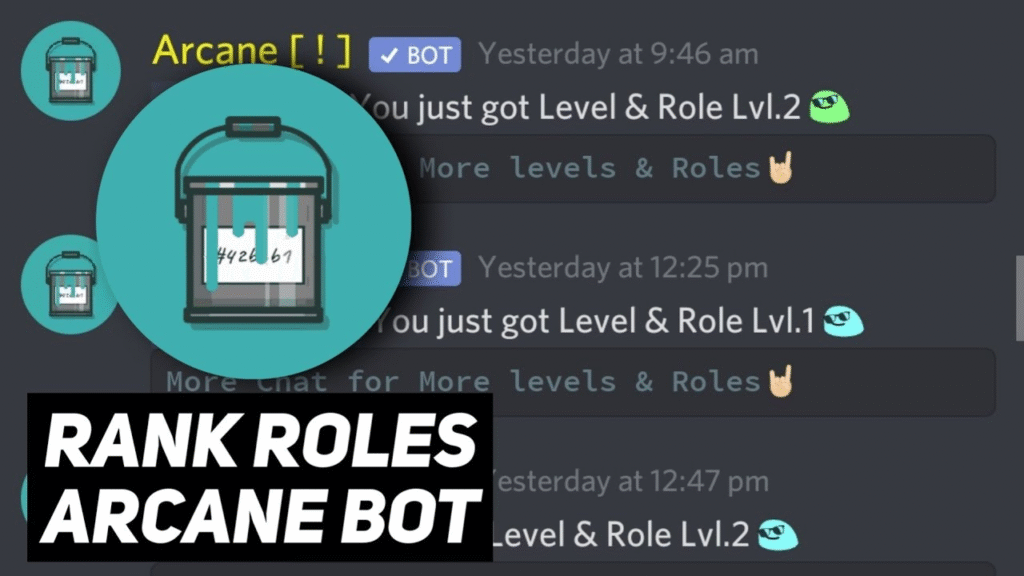
Similar to Carl bot, Arcane bot is a Swiss Army knife for Discord servers. It provides leveling systems, moderation, music, and yes, image commands. It’s a strong contender when you’re looking for fun Discord bots that can do a bit of everything.
- How to Use: Commands are usually along the lines of
!image caption <text>or a similar variation. You often need to reply to the image you want to caption or provide a link. - Strengths: Its integration with a full suite of other features makes it an attractive option for server owners who want to build a rich, engaged community with various activities and tools.
- Considerations: As with any multi-purpose bot, the captioning function is just one of many, so it may not receive as frequent dedicated updates as a specialist bot.
3. esmBot: The Media Manipulation Maestro
If you are serious about meme creation and media manipulation, esmBot is arguably one of the best Discord bots for the job. esmBot Discord presence is defined by an enormous library of commands dedicated to editing images, videos, and audio.
- Captioning Power: The standard
?caption <text>command is just the tip of the iceberg. esmBot allows for more precise control over text placement and style. - Beyond Images – The Ultimate Discord GIF Caption Bot: This is where esmBot truly shines. It can seamlessly add captions to GIFs, making it the go-to Discord GIF caption bot. Furthermore, its
?videocommand suite can even handle short videos, leading users to search for esmBot caption video tutorials to see its advanced capabilities in action. - GIF Creation: It also functions as a powerful GIF maker bot Discord, allowing you to create GIFs from video URLs or other images. This makes esmBot a one-stop shop for all your animated meme needs.
When the community on Discord caption bots Reddit threads discusses the most powerful options, esmBot is consistently at the top of the list for its sheer number of features and reliability.
How to Choose and Add a Caption Bot to Your Server
Selecting the right bot depends on your server’s needs.
- For Simplicity: If you just want basic captioning and already use a bot like Carl bot or Arcane bot, try their built-in commands first.
- For Maximum Power and Meme Creation: If your server lives and breathes memes, esmBot is the superior choice due to its specialized features for GIFs and videos.
Adding a bot is a straightforward process:
- Visit the official website of the bot (e.g., top.gg for Carl bot, esm.bot for esmBot).
- Click “Invite” or “Add to Discord.”
- Select the server you want to add it to from the dropdown menu.
- Grant the necessary permissions. For captioning, this typically includes “Send Messages” and “Attach Files.”
- Complete the CAPTCHA, and the bot will appear in your server’s member list.
Always ensure you are inviting the bot from its official, verified page to maintain security.
A Step-by-Step Guide to Using a Caption Bot Discord
Let’s walk through the typical workflow of creating your first captioned meme using a bot like esmBot.
Step 1: Find Your Image or GIF
You can use an image/GIF from your computer or a direct link from the web (e.g., from Imgur, Giphy, or Tenor).
Step 2: Craft Your Hilarious Caption
Think of the text you want to overlay. Most bots will split the text into a top and bottom line if you use a double pipe || or similar separator.
Step 3: Use the Command
The exact command will vary, but here are the common methods:
- Method A: Reply to an Image
- Upload the image or GIF to the Discord channel.
- Type your command in a new message, replying to the image you just sent.
- Example:
?caption "This is how I look at 5 PM on a Friday"
- Example:
- Method B: Use an Image URL
- Right-click on an image from the web and “Copy Image Address.”
- In Discord, type your command followed by the URL.
- Example:
?caption "My brain processing this information" https://example.com/confused.jpg
- Example:
- Method C: Slash Commands (Modern Bots)
Many newer bots, including updated versions of the ones mentioned, use slash commands. Simply type/in the chat, find the caption command, and fill in the text and image options in the pop-up menu.
Step 4: Send and Enjoy!
The bot will process your request and, within a few seconds, send the newly captioned image or GIF directly into the channel. Your Discord caption generator has done its job!
Pro Tips and Etiquette for Meme Mastery
- Font and Placement: Most bots use a bold, white font with a black outline (the classic meme font) by default. Bots like esmBot may offer options to change this—check their documentation.
- Keep it Clean: Remember that your server’s rules apply to bot-generated content too. Avoid creating offensive or harassing captions.
- Experiment with Other Commands: A Caption Bot Discord like esmBot often has dozens of other fun commands like
?deepfry,?magik,?whisper, or?phcomment. Explore them to discover new ways to engage your community. - Check Bot Status: If a bot is unresponsive, it might be down for maintenance or experiencing issues. You can check its status on its official server or website.
Conclusion: Unleash Your Server’s Creative Potential
Integrating a Caption Bot Discord is one of the simplest and most effective ways to inject fun and creativity into your community. Whether you opt for the versatile Carl bot, the feature-rich Arcane bot, or the specialized power of esmBot, you are equipping your server with a powerful Discord caption generator. These fun Discord bots lower the barrier to meme creation, allowing everyone to participate in the joy of shared humor. So, take the plunge, invite one of these best Discord caption bots to your server today, and watch as your channels light up with a new wave of custom, community-driven content. The meme revolution is just a command away.
